
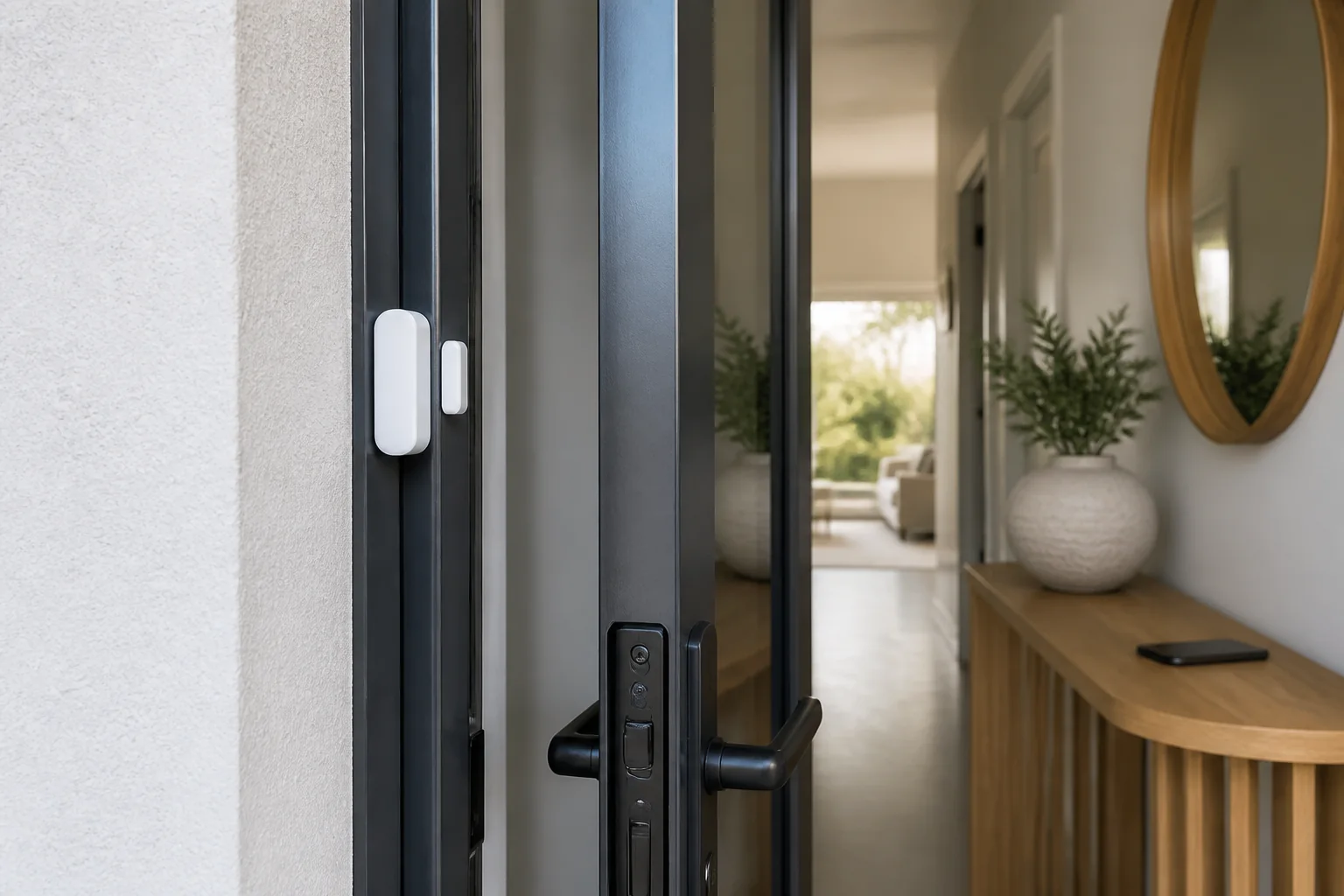
A Wi-Fi door alarm is a connected contact sensor or alarm device that detects a door opening, closing or remaining ajar and can send an alert through a home network. It can add useful awareness, but it does not strengthen the door, replace a compliant lock or guarantee emergency response. Choose it by checking sensor fit, local alarm behaviour, notification delay, battery supervision, privacy, update support and what happens when Wi-Fi, power or the cloud service is unavailable.
Key Takeaways
- Decide whether you need a simple local chime, phone alerts, automation or monitored security.
- Confirm the sensor and magnet can align on the actual door and frame without obstructing seals or hardware.
- Prefer unique credentials, supported updates, clear privacy information and a published support period.
- Test offline behaviour, low-battery warnings and alerts on every authorised phone.
- Treat a connected alarm as one layer alongside sound doors, locks, lighting and household procedures.
How does a Wi-Fi door alarm work?
Most door-contact devices use two aligned parts: a sensor on one surface and a magnet on the other. When the door moves far enough to separate them, the sensor changes state. A hub-based model sends that event to a hub; a direct Wi-Fi model communicates through the router. The app may then create a push notification, automation or audible warning.
Notification delivery depends on several links: sensor battery, radio connection, router, internet service, vendor platform and phone settings. Ask what remains functional if any link fails. Some products sound locally; others provide only an app event. Product documentation—not the word “alarm”—should establish the behaviour.
Wi-Fi door alarm types compared
| Type | Useful for | Key limitation to check |
|---|---|---|
| Direct Wi-Fi contact | Simple installation without a separate hub | Battery life and router compatibility |
| Hub-based contact | Multiple sensors and local automations | Hub cost and ecosystem dependence |
| Standalone entry alarm | Local sound without internet | No remote notification unless specified |
| Professionally monitored system | Defined monitoring workflow | Contract, coverage and response terms |
How to choose a Wi-Fi door alarm
1. Define the alert outcome
Write down who needs to know, at what times and what action they should take. A pool-area warning, rental entry notice and general home-security alert are different briefs. Do not assume a consumer contact sensor satisfies regulated pool, fire, access-control or security requirements.
2. Check physical fit
Measure the available flat surfaces with the door fully closed and open. Confirm the permitted gap and offset from the manufacturer. Avoid drilling into glass, damaging weather seals, covering drainage paths or placing a component where a sliding panel will strike it. For door-system context, see Forge’s door system selection guide and sliding fitting guide.
3. Review cyber security and privacy
The Australian Signals Directorate’s Internet of Things guidance recommends checking password controls, updates, data collection and whether internet connectivity is necessary. For consumer smart devices manufactured after 4 March 2026, the guidance also points buyers to the Australian smart-device security rules and a Statement of Compliance. Verify manufacture date and the current legal position rather than assuming every product is covered.
Read the privacy policy for event history, household sharing, location and account deletion. Check whether multi-factor authentication is available and how long security updates will continue. A device that loses cloud support may also lose important functions.
4. Check the network
The ASD’s router security guidance recommends secure router settings, current firmware and at least WPA2 capability. It also describes guest Wi-Fi as a way to separate less-trusted devices. Confirm that isolation will not block any hub or phone communication the product genuinely needs.
5. Test failure modes
Turn off internet access temporarily and record what still happens. Test the local sound, app alert, low-battery warning, tamper indication and restoration after an outage. Repeat the test after router or phone changes and whenever the app receives a major update.
Installation and handover checklist
- Door closes and locks normally before installation.
- Sensor and magnet align within documented tolerances.
- Adhesive suits the surface, or approved fixings are used.
- Weather seals, glass, drainage and moving hardware remain clear.
- Default credentials are changed and multi-factor authentication enabled where available.
- Firmware and app are current.
- Only required household members have access.
- Open, close, tamper, low-battery and offline tests are recorded.
- Battery type and replacement date are documented.
- Support-end date and account-deletion process are retained.
If the opening itself needs attention, review Forge’s patio door installation checklist and automatic retrofit compatibility guide. A sensor should never be used to mask a door that binds, fails to latch or admits water.
Frequently asked questions
Does a Wi-Fi door alarm work when the internet is down?
It depends on the product. A local siren or hub automation may continue, while remote alerts may stop. Check documented offline behaviour and test it yourself; do not rely on an app screen alone.
Can I fit one to an aluminium sliding door?
Often yes, if the sensor fits on stable surfaces and clears the moving panel, interlock, seals and drainage. Confirm the allowed magnet offset and use a mounting method compatible with the finish.
Is a Wi-Fi alarm a security system?
It is a detection layer, not necessarily a complete security system. It does not improve the physical strength of glazing, frames or locks and may not include monitoring or emergency response.
How often should I test it?
Follow the manufacturer’s interval and test after battery, router, phone, app or account changes. A regular household check should include opening alerts, local sound, notification recipients and offline behaviour.
What information should I retain?
Keep the model, serial number, purchase record, privacy policy, support period, setup guide, battery details, authorised users and test log. Avoid recording passwords in the same document.
Next step
Define your door type, required alert and network conditions first. Then contact Forge Windows about the opening or hardware interface; obtain smart-device advice from the device supplier.